
Gaming Arm Sleeve PC Sport Compression
4.3Editor score
Full hand palm coverage
Specialized underarm cutout
Symmetrical left-right design
Gaming arm sleeves can improve mouse control and comfort; this guide compares ten options by fit, coverage, grip, breathability, and durability.
Gaming arm sleeves are lightweight accessories designed to reduce friction between your forearm and the desk or mouse pad. A well-fitted sleeve can support steadier mouse movement, limit slipping, manage perspiration, and provide comfortable coverage during long sessions. The right design depends on your preferred coverage, grip level, and gaming habits.
We compared ten gaming arm sleeves using the specifications and product information supplied for this guide. The list covers full-palm, palm, finger, thumb-hole, and traditional sleeve designs, with particular attention to surface texture, anti-slip features, elasticity, breathability, seam construction, and intended range of uses. Every selection offers a different way to approach consistent arm movement.
The recommendations that follow show why a single sleeve cannot be best for every player. Some prioritize low-friction movement, while others emphasize cooling, broad sizing, hand coverage, or a secure grip. Ratings and product details can change over time, and current prices vary, so shoppers should confirm the latest listing information and size options before making a purchase.
4.3Editor score

4.5Editor score

4.1Editor score
This side-by-side comparison highlights the most important design differences across ten gaming arm sleeves, including hand coverage, surface treatment, fit, cooling features, and grip.

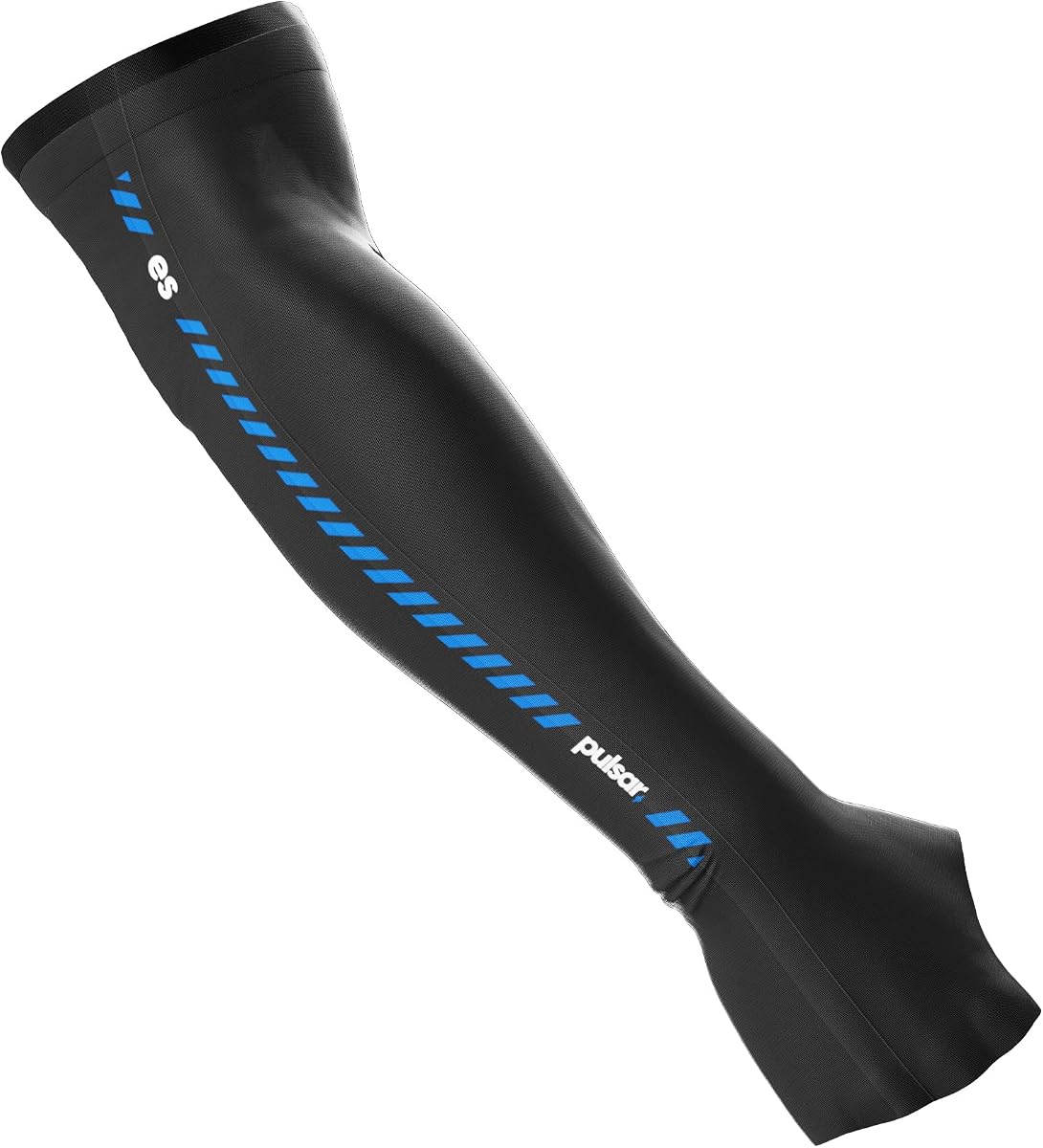


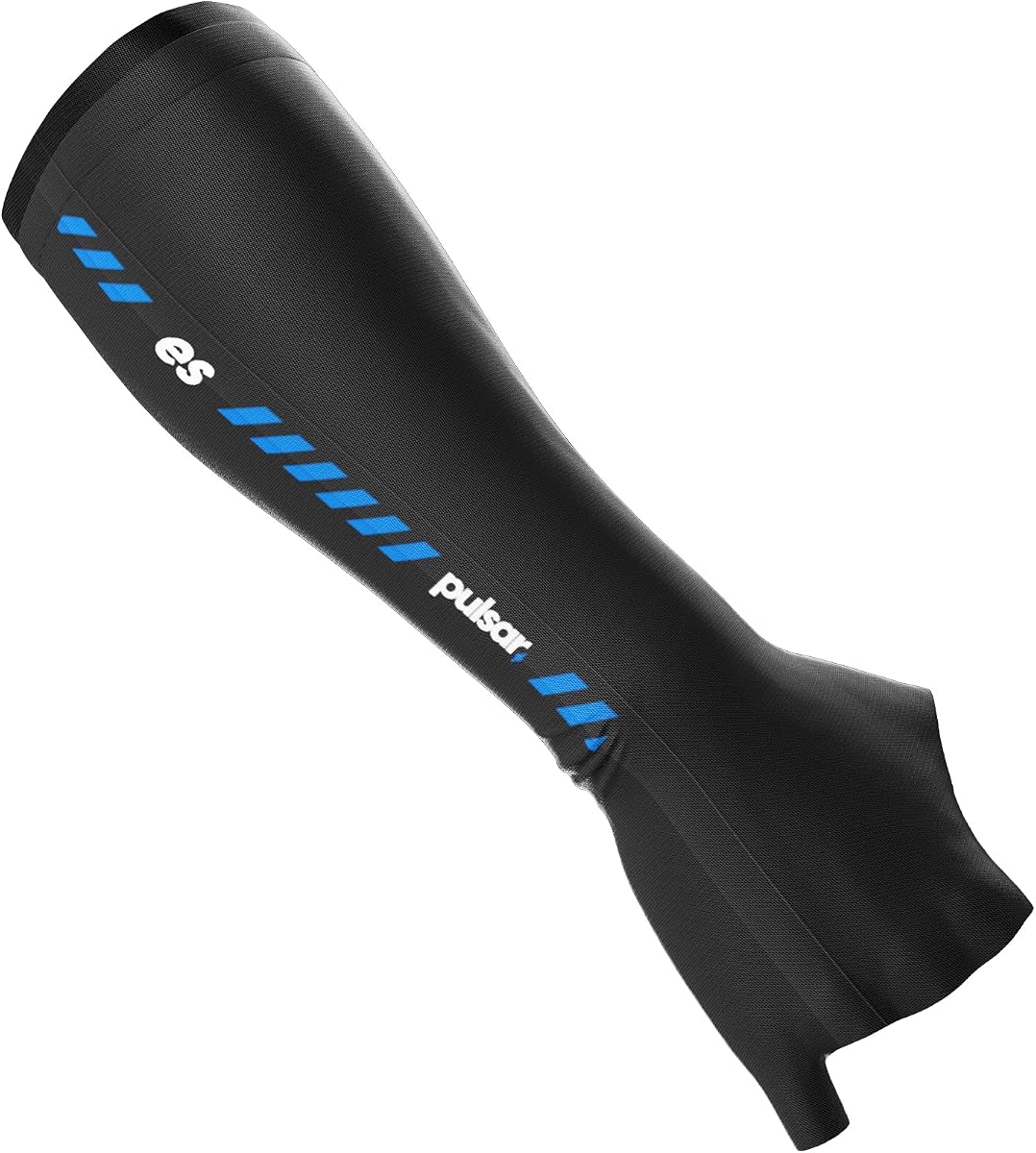


The Gaming Arm Sleeve PC Sport compression esports gamer sleeve earns a 4.3 rating by combining complete hand coverage with a fabric designed to reduce friction. Its most distinctive feature is the elastic surface across the hand, which keeps skin from touching the desk or mouse pad and encourages smooth movement in either direction. The result is particularly relevant for players who make broad, sweeping mouse movements.
We may earn a commission when you buy through this link, at no additional cost to you.
This sleeve is made from elastan and polyester, combining stretch with the practical coverage of a compression-style accessory. A specialized underarm cutout is intended to prevent fabric from bunching as the arm rotates, while the updated shape holds firmly without pressing heavily into the bicep. The half-palm construction includes the thumb, helping maintain control rather than leaving the hand entirely exposed.
The main trade-off is that this is a fuller-coverage design than a simple wrist-length sleeve. Some players may prefer more ventilation or a lighter touch. It is also important to measure the bicep and consult the size chart; the supplied medium-size information fits an 11–13.4-inch bicep. A poor size choice could create the pressure or slipping that the construction is designed to prevent.
This is a strong choice for competitive PC players who want a stable, low-friction surface and prefer having much of the hand covered. The symmetrical design also makes it suitable for either hand. Because it is explicitly offered for gaming, volleyball, basketball, baseball, cycling, and gym use, its appeal extends beyond the desktop, although PC gaming is the clearest reason to consider it.
The elastic hand section is the defining feature because it keeps skin from making direct contact with the playing surface. That helps players glide consistently across a mouse pad or desk while reducing the sticking sensation associated with bare skin.
The underarm shaping is intended to limit bunching during forearm rotation. Combined with the updated compression fit, it helps the sleeve remain positioned during repeated aiming and adjustment movements.
We may earn a commission when you buy through this link, at no additional cost to you.
The Wallhack Pro Gaming Sleeve with Glove receives a 4.0 rating and focuses on making arm movement smoother and more predictable. Its high-density, low-friction fabric is designed to reduce drag across the desk, while the glove-style palm cover keeps the playing surface separated from the skin. That makes it a practical option for players who regularly make long lateral movements.
We may earn a commission when you buy through this link, at no additional cost to you.
Breathable 180gsm fabric is a notable detail because it suggests the sleeve was designed with extended sessions in mind. Bonded seams are intended to limit irritation, and the reinforced construction targets the areas that encounter the most wear. An elastic cuff with silicone grip helps keep the sleeve from sliding or bunching as the arm moves.
The listed product is the black L/XL palm-cover version, so buyers who prefer a different size or wrist-length option may need to check whether another configuration is available. Palm coverage also creates more contact with the sleeve than a basic forearm design, which may feel less ventilated in warm conditions. The 4.0 rating reflects a solid purpose-built proposition, but it does not leave room for a completely flawless assessment.
Choose this sleeve if consistent low-friction movement and a secure cuff are your priorities. It is a good fit for competitive shooters, strategy players, and anyone who notices inconsistent contact between their arm and mouse pad. Verify the available size carefully, especially if you are choosing between the product's wrist-length and palm-cover styles.
The low-friction textile is intended to eliminate the variability of skin-on-pad contact. A stable fabric layer can make the same arm movement feel more uniform across different desk and mouse-pad surfaces.
The elastic cuff and silicone grip are particularly valuable because they help keep the sleeve in place. That added stability reduces the chance that movement will pull, fold, or bunch the fabric.
We may earn a commission when you buy through this link, at no additional cost to you.
The Pulsar Gaming Gears Palm Long Gaming Arm Sleeve has a 4.4 rating and offers an appealing balance of low-friction performance, secure fit, and understated comfort. Its thin, cooling fabric is intended for professional users, while the palm-long design extends coverage farther than a conventional wrist sleeve. The result is a consistent barrier between the forearm, hand area, and playing surface.
We may earn a commission when you buy through this link, at no additional cost to you.
A high-strength premium band is the key fit feature. It is designed to prevent slipping, which is important because a sleeve that moves during play can interfere with the consistency it is supposed to provide. The seamless finish adds another layer of comfort by avoiding prominent internal seams, while the material's elasticity is intended to reduce fatigue during extended wear.
Players who run warm may notice that longer coverage can feel warmer than a short sleeve, particularly in a room that is not well ventilated. The supplied information also does not detail every size or hand-specific variation, so shoppers should review the available options before buying. Even so, the product's core design directly addresses common friction, slipping, and seam-discomfort concerns.
This sleeve is best suited to players who want more coverage than a standard arm band but value a thin fabric and secure band. It is a versatile choice for extended sessions because its focus is on steady movement, reduced surface contact, and reliable positioning. Check the current size selection and confirm that the long palm style matches your preferred hand coverage.
The thin, cooling material is designed to preserve mobility while covering more of the arm. This makes the sleeve practical for players who want a larger barrier against friction without the feel of a heavily padded accessory.
Excellent elasticity supports a close fit, while the premium band adds resistance against slipping. Together, these details help the sleeve remain steady as the arm travels across a surface.
We may earn a commission when you buy through this link, at no additional cost to you.
The Gaming Sleeve Arm Pc cooling sleeve earns a 4.1 rating for combining lower surface friction with a strong focus on moisture management. Its half-glove construction includes the thumb, allowing the hand to remain involved in controlling the mouse while the fabric reduces contact with the table. The sleeve is marketed for use on different mouse-pad types and surfaces.
We may earn a commission when you buy through this link, at no additional cost to you.
Its nano-sweat-absorbing fibers are described as locking in moisture and helping it evaporate quickly, while the lightweight, breathable construction aims to keep the arm comfortable during long gaming sessions. The listing also emphasizes easy washing and quick drying, which adds practical value for a product that sits directly against the skin. A black design gives it a straightforward appearance for most gaming setups.
Some of the listing's performance statements are very assertive, including claims about hours of dry comfort and odor control. Those should be understood as stated product features rather than independently verified test results. The package also contains one sleeve rather than a pair, which is worth considering for players who want symmetrical coverage on both arms.
This product is a practical choice for players whose main concern is perspiration and unwanted contact with the desk. Its washable, quick-drying construction may also appeal to anyone who uses a gaming sleeve frequently. The half-palm thumb section and broad design make it more purpose-built for mouse use than a general sports sleeve, while remaining accessible for men and women.
Moisture-absorbing fibers are combined with a quick-drying approach to help the sleeve remain comfortable during extended play. This is a useful consideration for warm rooms or players who notice perspiration after long sessions.
The half-glove design includes the thumb, which helps preserve mouse control while covering the contact area. It offers a middle ground between a basic wrist sleeve and a fully enclosed gaming glove.
We may earn a commission when you buy through this link, at no additional cost to you.
The ROXUN Arm Sleeves with Thumb Hole has a 4.4 rating and brings a broader outdoor and sports focus to the gaming sleeve category. Its integrated thumb hole promotes a snug, stable fit, while lightweight fabric and moisture wicking help manage heat during active use. The sleeve is also listed as suitable for men and women.
We may earn a commission when you buy through this link, at no additional cost to you.
Its UPF 50+ rating and stated 98% UVA/UVB blocking make it particularly useful beyond gaming. That protection can appeal to players who stream from a bright room, use a sleeve outdoors, or simply want one accessory for gaming, cycling, golf, volleyball, gardening, and driving. Compression is also cited as a way to ease forearm and elbow strain during sports.
This is not as purpose-built around mouse gaming as the sleeve's full-palm and finger designs. It does not offer the same explicit low-friction gaming surface or gaming-oriented grip details. The fit may also feel different from a dedicated gaming sleeve, particularly for players accustomed to structured compression around the bicep. Care is simple: cold-water washing followed by air drying.
The ROXUN sleeve is a good choice for buyers who want one versatile sleeve for both gaming and outdoor activities. Its thumb hole improves positioning, cooling supports comfort, and the UPF 50+ specification adds a function that most gaming sleeves do not emphasize. Check the sizing and product images carefully before choosing it for long gaming sessions.
The thumb opening helps the sleeve sit more securely as the arm moves. That stability can be useful during gaming, sports, and other activities where repetitive motion might otherwise shift the fabric.
UPF 50+ coverage distinguishes this model from ordinary gaming sleeves. It gives the sleeve additional value for outdoor activities while retaining the cooling and anti-slip qualities useful at the desk.
We may earn a commission when you buy through this link, at no additional cost to you.
The Pulsar Gaming Gears Palm Short Gaming Arm Sleeve shares the strong 4.4 rating and core material advantages of the longer Pulsar option while adopting a shorter palm design. It is a sensible middle ground for players who want some hand coverage but prefer a less substantial feel than a full or extended palm sleeve.
We may earn a commission when you buy through this link, at no additional cost to you.
Thin cooling fabric, excellent elasticity, and a seamless finish support comfort during extended wear. The high-strength premium band is intended to prevent slipping, which helps preserve the smooth contact between the sleeve and the desk or mouse pad. Its reduced-friction role is directly relevant to consistent aiming and quick response movements.
Shorter palm coverage means less fabric than the long version, and players who rely on complete hand coverage may find that their skin still contacts the surface during some movements. The supplied information does not provide detailed measurements, so buyers should check the available sizes and understand exactly where the sleeve ends. Despite that uncertainty, the construction is clearly designed for active mouse use.
Choose the Palm Short if you want a lighter, simpler sleeve for regular gaming. It suits players who prioritize a secure band, smooth surface interaction, and a seamless feel without committing to a glove-like design. It is also a useful option for anyone who wants to try a dedicated gaming sleeve with a more moderate level of coverage.
The short palm profile reduces the total fabric placed around the hand. That makes this model a practical middle ground for players who want smoother movement without the coverage and feel of a full-hand sleeve.
A seamless finish and elastic material work together to keep the sleeve comfortable during repeated movement. The construction is designed to avoid the irritation that prominent seams can sometimes create.
We may earn a commission when you buy through this link, at no additional cost to you.
The Pulsar Gaming Gears Finger Short Gaming Arm Sleeve provides a 4.4-rated alternative for players who want partial finger coverage. It combines the same thin, cooling material, seamless construction, elastic fit, and high-strength band found in the broader Pulsar range, but its short finger format creates a different balance of coverage and dexterity.
We may earn a commission when you buy through this link, at no additional cost to you.
Reducing friction between the arm and the table or mouse pad remains the product's central function. By adding limited finger coverage, the sleeve can create a more continuous surface for certain hand positions while leaving enough of the hand uncovered to maintain control. The high-strength band is designed to keep the sleeve from slipping as the arm travels.
Any added material around the fingers can feel more noticeable than a conventional forearm sleeve, particularly during long sessions or rapid key-and-mouse combinations. Players who keep their fingers in motion may prefer the fingerless or shorter alternatives. Checking the size and opening positions is important because even a small amount of unwanted pressure can affect control.
This model is worth considering for PC players who like the concept of a gaming glove but want less coverage than a full-finger design. Its thin material, secure band, and friction-reducing purpose make it a credible choice for FPS and other mouse-driven games. It is best suited to players who value surface consistency and do not mind partial finger contact.
Partial finger coverage can make the transition from hand to sleeve feel more consistent on the mouse pad. This may appeal to players who regularly drag their palm or outer fingers across the surface.
The premium anti-slip band helps the sleeve remain steady despite the longer contact area. Stable positioning supports the consistent glide that makes the sleeve useful during fast aiming motions.
We may earn a commission when you buy through this link, at no additional cost to you.
The Pulsar Gaming Gears Finger Glove Gaming Arm Sleeve has a 4.0 rating and provides the most glove-like option in this group. Its extended finger coverage creates a continuous fabric surface between the arm, hand, fingers, and mouse pad, reducing the bare-skin contact that can interfere with smooth movement.
We may earn a commission when you buy through this link, at no additional cost to you.
The same thin cooling material and seamless finish used across the Pulsar range support comfort, while excellent elasticity allows the glove to remain close to the hand. A high-strength band is included to keep the sleeve from slipping during use. Together, these details are intended to help players maintain consistent movement while protecting the arm and hand area.
Full finger coverage is the central trade-off. Players accustomed to unrestricted finger movement may notice a change in tactile feedback or dexterity, and the enclosed design can feel warmer than a standard arm sleeve. The 4.0 rating suggests that the feature set is appealing but individual comfort will vary. Careful size selection is particularly important for a glove-style product.
This sleeve is best for players who want the maximum amount of fabric between their arm and the playing surface. It can suit dedicated PC gamers who drag their hand and fingers across the mouse pad or who prefer a glove-like experience. Players who need maximum finger freedom should consider a palm or fingerless alternative instead.
Extending the material over the full fingers reduces interruption from exposed skin. For players who slide their whole hand across the pad, that continuity can make contact feel more uniform.
Thin fabric and a seamless finish help offset the potential heaviness of a glove-style sleeve. The elastic fit and strong band support a secure experience without relying on bulky padding.
We may earn a commission when you buy through this link, at no additional cost to you.
The Rift Sprinter Gaming Arm Sleeve holds the highest listed rating in this guide at 4.5. It is explicitly designed around esports precision, using a low-friction surface to support smooth, stable flicks and a nylon-spandex blend that provides stretch, rapid cooling, and sweat wicking. The result is a focused option for competitive mouse use.
We may earn a commission when you buy through this link, at no additional cost to you.
Four-way elasticity allows the sleeve to adapt to arm movement, while the anti-slip band and stretch construction help maintain a secure position. Seamless edges are intended to prevent irritation, and the fast-drying fabric is useful for long sessions. The product's themed Rift Sprinter design adds visual identity without distracting from its function-first construction.
The main consideration is that buyers should confirm the available size and how the compression feels on their arm. Players who prefer a loose, minimally noticeable sleeve may find the close fit too substantial, while those who want a structured esports accessory may appreciate it. The supplied information does not describe every size or detail of the cuff.
This is our Editor's Choice because it directly addresses the core needs of competitive gaming: low-friction movement, cooling, secure positioning, and unrestricted motion. It is well suited to FPS, MOBA, and streaming setups, although players in every genre can benefit from more consistent surface contact. It is a strong all-around pick when those priorities matter most.
The smooth surface is intended to help tracking and aim movements feel consistent. It gives the arm a stable material interface with the mouse pad instead of relying on changing skin contact.
The nylon-spandex blend is described as rapid-cooling, sweat-wicking, and fast drying. Those properties are especially relevant during long matches or streaming sessions where heat and perspiration can become distracting.
We may earn a commission when you buy through this link, at no additional cost to you.
The 3 Pairs Gaming Arm Sleeves earn a 4.1 rating and offer a practical multipack for players who want spare sleeves available. The set includes three pairs, allowing rotation between uses or accommodating players who prefer matching coverage on both arms without needing to rely on a single pair.
We may earn a commission when you buy through this link, at no additional cost to you.
Its half-palm glove design includes the thumb and keeps skin from directly touching the playing surface. This supports smoother movement in both directions and helps prevent the arm from sticking to a table or mouse pad. Compression-style construction is also presented as a way to support circulation and reduce fatigue during long gaming sessions.
The listing makes broad statements about muscle recovery and prevention of wrist discomfort. These claims should not be treated as a substitute for medical advice, and individual results will vary. The supplied information also provides limited sizing and material detail, so buyers should check the listing carefully to ensure the compression and thumb opening suit them.
This is the Best Budget pick because its multipack format adds convenience without abandoning the main gaming-sleeve benefits. It is a sensible choice for players who want several sleeves for rotation, use a sleeve on both arms, or want a straightforward low-friction design. It is especially relevant to anyone who plays regularly and does not want to manage a single frequently washed sleeve.
Three pairs make it easy to keep a clean sleeve ready while another is being washed. Rotation can also help players identify which fit feels most comfortable during repeated gaming sessions.
The half-palm opening covers a key contact area while leaving the thumb usable. That balance supports mouse control and smooth movement without adopting the full coverage of a complete glove.
We may earn a commission when you buy through this link, at no additional cost to you.
The best gaming arm sleeve should reduce surface interference without interfering with mouse control, comfort, or the range of motion you need. Comparing coverage, fit, fabric, grip, and care requirements helps narrow the options.
In short, match the coverage to how your hand moves. Choose a short design for lightness or a fingered design for broader surface consistency.
In short, accurate measurement is more dependable than assuming a size. Choose a secure fit that does not squeeze or restrict movement.
In short, look for a clearly described low-friction playing surface. Pair it with the type of mouse pad or desk you actually use.
In short, prioritize a cuff that resists slipping without pressing too hard. Stable placement is essential for consistent movement.
In short, favor lightweight, breathable materials with quick-drying care. The more skin the sleeve covers, the more important moisture control becomes.
In short, smooth internal construction and flexible stretch improve comfort. A sleeve should move with your arm rather than fight it.
In short, choose a multipack for easy rotation and choose a single sleeve for focused one-arm use. Match the format to your normal setup.
In short, prioritize dedicated grip and glide for gaming, or choose a versatile design when you need one sleeve for several activities.
Choose the correct side according to the product's design and the hand you use with the mouse. Slide the sleeve over the forearm and hand area gradually, then adjust the thumb opening, fingers, cuff, and upper band until the fabric lies flat. A correctly positioned sleeve should feel secure without restricting circulation, compressing the bicep excessively, or creating folds around the wrist and elbow.
Allow the fabric to sit naturally while gaming rather than repeatedly pulling or rolling it. If you notice bunching, slipping, numbness, tingling, or pressure near the cuff, remove the sleeve and reassess the size or fit. For a long session, periodically checking the arm and repositioning the sleeve can help maintain comfort and keep the surface consistent.
Follow the care guidance supplied with the product. The ROXUN sleeve specifically calls for cold-water washing and air drying, while the Friction-Reducing Cooling Sleeve is described as washable and quick drying. In general, use a gentle cycle, avoid harsh heat unless the listing permits it, let the sleeve dry fully, and inspect elastic bands or silicone grips for stretching after repeated use.
A gaming arm sleeve can be useful by creating a more consistent, low-friction surface between your forearm and mouse pad. It may reduce sticking and make broad movement feel smoother. It does not directly improve reaction time or aim, and results vary by player, mouse, pad, and surface. The most noticeable benefits often come from comfort and fewer distractions during long sessions.
Many players wear the sleeve on the mouse-hand side because that arm makes the most contact with the desk. Wearing one on both arms can provide visual symmetry and may be helpful if both hands rest on the surface. The choice depends on comfort, coverage preference, and whether you want a matched or coordinated setup.
Palm sleeves extend coverage across the palm while leaving the fingers largely free. Finger sleeves add material over some or all of the fingers, creating a more glove-like experience. More coverage can produce a smoother contact surface, but it may feel warmer and can affect tactile freedom. Palm designs are often the middle ground between standard arm sleeves and full gloves.
Start by choosing the correct size and make sure the anti-slip band sits in the correct position rather than being rolled over itself. A smooth application and flat fabric will also help. If it continues to move, the issue may be fit rather than the grip feature itself, so check the current size chart before considering a different model.
Some products claim that compression, warmth, or reduced friction may improve comfort during extended play, but this varies between people. A sleeve should not be treated as a medical treatment for pain, numbness, carpal tunnel symptoms, or an injury. Persistent discomfort requires attention from a qualified healthcare professional.
Many gaming sleeves are machine washable, but the safest approach is to follow the instructions for the specific product. Use cool or cold water and a gentle cycle, then allow the fabric to dry as directed. Avoid using high heat on elastic, silicone grip, or bonded areas unless the manufacturer explicitly says it is safe.
No. A close fit can improve stability, but excessive pressure may create discomfort, restrict movement, or leave marks. The ideal sleeve remains secure without squeezing the bicep or arm. Measure the relevant area and compare the size chart, especially if you are choosing between different coverage styles.
No special pad is required. The sleeve is intended to reduce friction across a mouse pad or desk, so it can be used with the equipment you already own. The result depends partly on the surface, and a consistent texture generally provides a more predictable experience than a rough desk edge or uneven surface.
The Rift Sprinter Gaming Sleeve is the strongest all-around recommendation for players who prioritize low-friction movement, cooling, four-way stretch, and a stable anti-slip fit. The Gaming Arm Sleeve PC Sport compression model stands out for complete hand coverage and an underarm cutout, while the 3 Pairs Gaming Arm Sleeves offer a convenient multipack for rotation and symmetrical use.
Your personal priority should guide the final decision. Choose a short sleeve for a lighter feel, a palm design for a practical balance of coverage and dexterity, and a finger or glove design for a more continuous surface. Cooling fabric, precise sizing, secure grip, and seamless construction matter throughout the category, but the amount of hand coverage remains the biggest personal preference.
Before purchasing, verify the latest product details, available size, hand orientation, and care instructions on the current listing. Ratings and product information can evolve, and prices change over time, so checking the live page will help ensure that the chosen gaming arm sleeve still matches your setup and expectations.